
Search the Cohutta Court Docket
Begin online with the official Cohutta Municipal Court page. That page gathers the calendar link, court schedule, officers, payment link, address, and clerk contacts in one place. What it lacks is a party-name search field. Before calling the clerk, have the citation number, defendant name, issue date, and printed appearance date in hand.
- Confirm that the citation names Cohutta Municipal Court.
- Use the town-linked calendar to identify the next published court session.
- Compare that date with the citation and any later notice.
- Call 706-463-8961 or email the court clerk for case-specific confirmation.
- Ask for the setting, status, disposition, or copy by citation number.
The Whitfield Magistrate MG portal is not a stand-in for Cohutta's city docket.
Cohutta Public Court Calendar
The town-linked Cohutta calendar allows month navigation and displays court-date settings. It is the strongest public schedule tool among Whitfield County's smaller incorporated cities. Use it to orient a call, not to search a person's name.
The manifest capture shows that calendar channel.
Seeing the official calendar helps, but keep one distinction clear. A session date and a case docket are two different records.
The Cohutta Municipal Court
Traffic tickets and citations inside the town belong to Cohutta Municipal Court. The official page lists the Town of Cohutta at 5102 Red Clay Road, Cohutta, GA 30710, with mail going to P.O. Box 290. Court convenes twice a month on Monday nights. Start time is 6:00 p.m. On court days the clerk lists hours of 4:00 p.m. to 8:00 p.m. The official municipal source spells out those details.
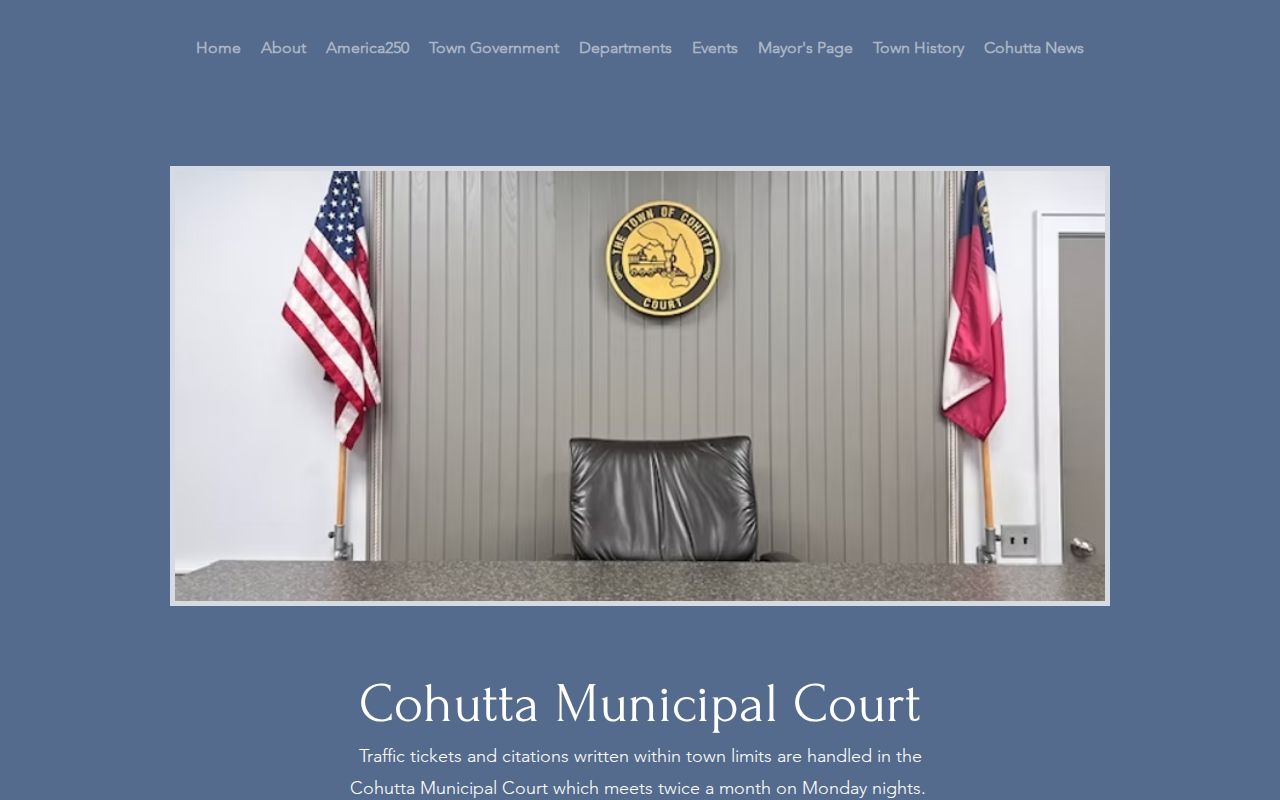
Cohutta runs its own citation route, and county or neighboring-city portals do not replace it.
Cohutta Court Dates and Settings
A twice-monthly Monday schedule is more specific than many small cities offer. Sessions begin at 6:00 p.m., and the town links a public Google Calendar for the next date. Even so, that calendar is just a schedule aid. Compare it against your citation. Call the clerk whenever a date conflicts or you suspect a reset.
| Date | The town-linked calendar date, checked against the citation. |
|---|---|
| Time | 6:00 p.m. under the current municipal page. |
| Location | Confirm the current town court location with the clerk. |
| Judge | Philip Woodward is identified on the current town page. |
| Status | The clerk's pending, reset, paid, or disposed case entry. |
The calendar leaves out most case fields, so it cannot establish a plea or a final disposition by itself.
Cohutta Traffic Tickets
A traffic ticket written inside Cohutta town limits belongs with Municipal Court. That rule holds unless the court says otherwise. The citation number is your best identifier. Call the clerk when a new ticket has not reached the payment route yet, or when the calendar leaves the appearance date unclear.
The after-hours number for the court clerk is 706-463-8961. The listed email is courtclerk@townofcohutta.com. Keep any message tight. Give the citation number, the record you want, and the date range. Hold back sensitive identifiers the clerk has not asked for.
Cohutta EZCourtPay Route
Cohutta links EZCourtPay for ticket payment. The court offers no public case-name search through the vendor. That makes EZCourtPay a transaction channel, not the Cohutta court docket. A finished payment yields a receipt. The clerk's record shows the court's recorded plea, status, and disposition. The city-linked EZCourtPay page shows where an eligible payment begins.
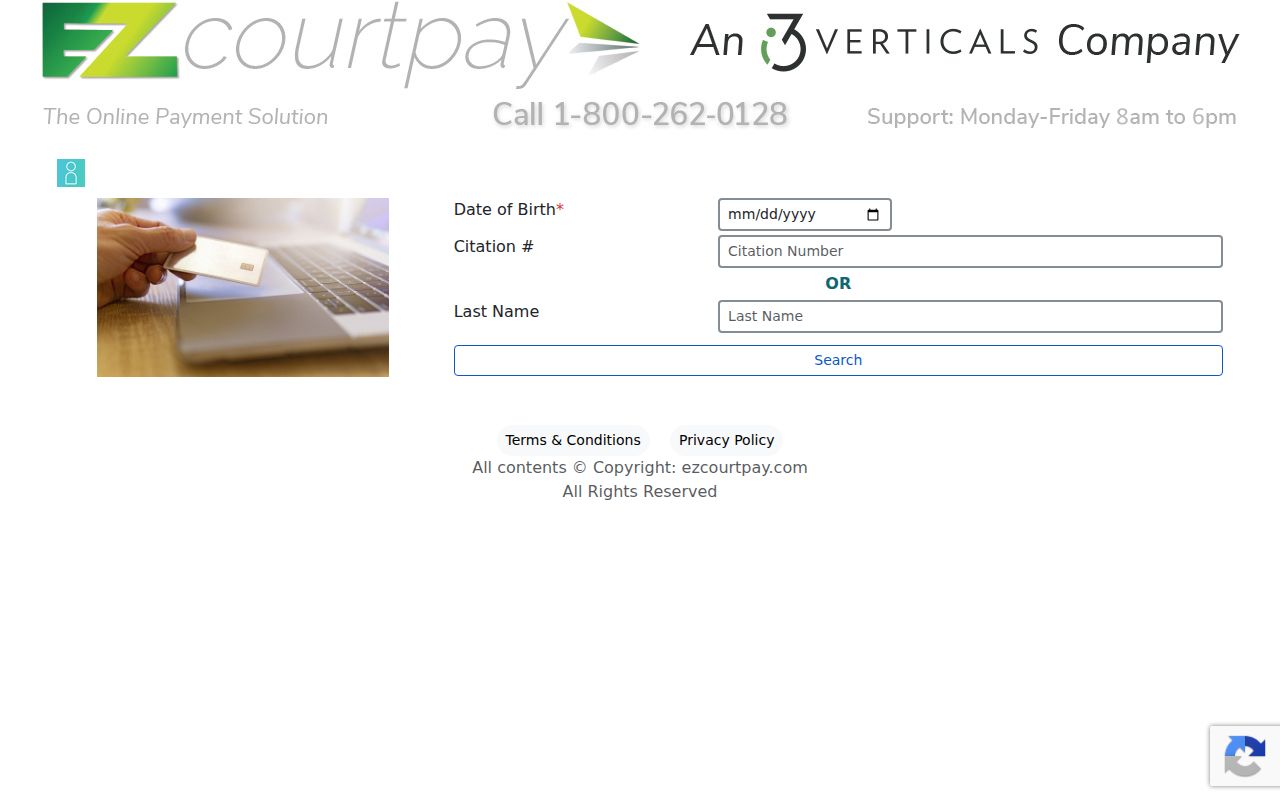
That payment page marks the start of a transaction, nothing more. A rejected citation still has a court record.
Cohutta Calendar Is Not Search
A public month view tells you when Cohutta expects to convene court. A docket answers different questions: which matter is set, what was filed, and what happened. Those are separate records. You can spot a Monday session yet never find a name, ticket number, plea, or outcome. Direct clerk contact closes the gap.
Correct use: Check the Cohutta calendar for orientation, then provide the citation number to the clerk for the individual court record.
A blank calendar day never proves a dismissal. It may simply reflect a changed schedule or a display limit.
Cohutta Court Officers
The current town page names the people behind the court: Bill Morgan as court officer, Bryan Rayburn as solicitor, Philip Woodward as municipal judge, Elsa Cervantes as translator, and Amy Ridley as court clerk. Knowing these roles helps you read a court notice. Public officials change, so check the live town page before addressing any correspondence.
| Cohutta role | Function in the local route |
|---|---|
| Municipal judge | Presides over matters within Cohutta court jurisdiction. |
| Solicitor | Represents the city in municipal prosecutions. |
| Court clerk | Maintains the docket and confirms records and settings. |
| Translator | Provides the court role identified by the town. |
The clerk, rather than another town department, is the central record contact.
Where Cohutta Cases End Up
Cohutta traffic and ordinance citations begin on the municipal docket when they arise within town jurisdiction. A matter outside municipal authority belongs with another court. The practical flow is Cohutta Municipal Court → the appropriate Whitfield County court when jurisdiction requires → Superior Court of the Conasauga Judicial Circuit for general-jurisdiction and felony matters.
Ask Cohutta whether a referred matter picked up a new county case number. The city citation number will not work in every later portal. Only after the county custodian is identified does the Whitfield County case search become relevant.
Cohutta Versus Magistrate Records
Whitfield Magistrate Court offers a free public MG portal plus an MM misdemeanor citation division. Neither makes it a countywide municipal-ticket database. A missing Cohutta citation usually means the town holds it. It does not mean the record is gone. Match the court name and prefix to the right channel.
| Record clue | Use this route |
|---|---|
| Cohutta town citation | Cohutta Municipal Court clerk and calendar |
| MG prefix with MM division | Whitfield Magistrate portal and clerk |
| Superior Court caption | Whitfield Clerk of Superior Court |
| Juvenile caption | Whitfield Juvenile Court, with confidentiality limits |
A local address by itself does not determine the record keeper.
Cohutta Court Record Requests
For an existing Cohutta docket, disposition, or citation record, contact the municipal clerk with the citation number, defendant name, approximate date, and the exact item sought. Ask whether inspection is available and whether a copy comes plain or certified. The clerk posts no copy fee, so confirm cost and payment method before sending funds. Keep town records and court records separate, too. A court-record request goes to the court clerk, and a broad county request cannot force Whitfield County to hand over a municipal file that Cohutta holds.
Public Access to Cohutta Court Records
What you can see in a Cohutta court docket depends on the entry. It also depends on any restriction attached to it. Some details stay private. A municipal docket may list the citation, the setting, the plea, the outcome, and the costs. It can still hold back protected identifiers. When something is missing, ask the clerk a direct question. Is it unposted, restricted, sealed, or sitting in a different court? If you need a usable copy, request the nonrestricted docket or a redacted version.
Cohutta access rule: Use the calendar for the session, the clerk for the individual docket, and EZCourtPay only for an eligible payment.
Cohutta is a small town by any measure. The 2020 Census put its population at 764. It was incorporated in 1895 and later chartered in 1969. Because the town is so compact, the linked calendar and a direct call to the clerk carry real weight, though neither one replaces a broader Whitfield County search.
For a municipal request, Cohutta is where the record lives. That name is also your routing key. A Cohutta citation calls for a Cohutta date confirmation. It also calls for a status answer from Cohutta and a copy route through Cohutta. Keep three things in one folder. Save the calendar entry, the clerk's response, and your payment receipt. Just remember they are separate documents, not a single record.
Cohutta Docket Proof Checklist
Start by tying the Cohutta citation to the clerk's own entry. Match the ticket number, the issue date, the Monday setting, and the current status. The Cohutta calendar can point you to a likely session. Confirm your citation is set for that night.
Pay online only when the Cohutta-linked route accepts your ticket as eligible. Save the receipt. Then ask the clerk whether the plea and disposition have posted yet. If the vendor cannot find your ticket, call Cohutta directly. Do not borrow another town's link.
For copies, name Cohutta Municipal Court and the exact docket item you need. Ask whether the town allows inspection, a plain copy, or certification. Write down the answer and the cost. Also note how it will be delivered.
Cohutta Docket Channel Check
Cohutta gives you several ways in. The options include a calendar, clerk hours, an email, a phone, and a payment link. The calendar shows a session. The vendor handles an eligible payment. The clerk confirms your specific citation and keeps the municipal record. Keeping those roles straight stops you from mistaking a browser screen for an official disposition.
When you contact the clerk, ask one focused question at a time. If a court date is close, confirm the setting first. Then ask for the docket or disposition by citation number. Needing a copy? Ask about certification, delivery, and cost. Replies can lag outside the listed court-day hours. Do not wait until the final hours before a printed deadline.
The twice-monthly schedule leaves room for gaps. A fresh citation may not appear the day it was issued. The calendar may show only the session itself. If the town page and your citation disagree, save both. Let the clerk say which date controls. Never pay through an unrelated court just to get a faster answer online.
Cohutta's public tools point you to the right municipal route. They support the clerk's case-specific answer. They do not replace it.